Keebin’ with Kristina: the One With the Uni-body That Does the Splits

Personally, I love a monoblock or uni-body split. You’ll pry this Kinesis Advantage from under my cold, dead hands. But on the go, I really like the Glove 80, a true split that can be completely wireless in case you want to put the halves really far apart.
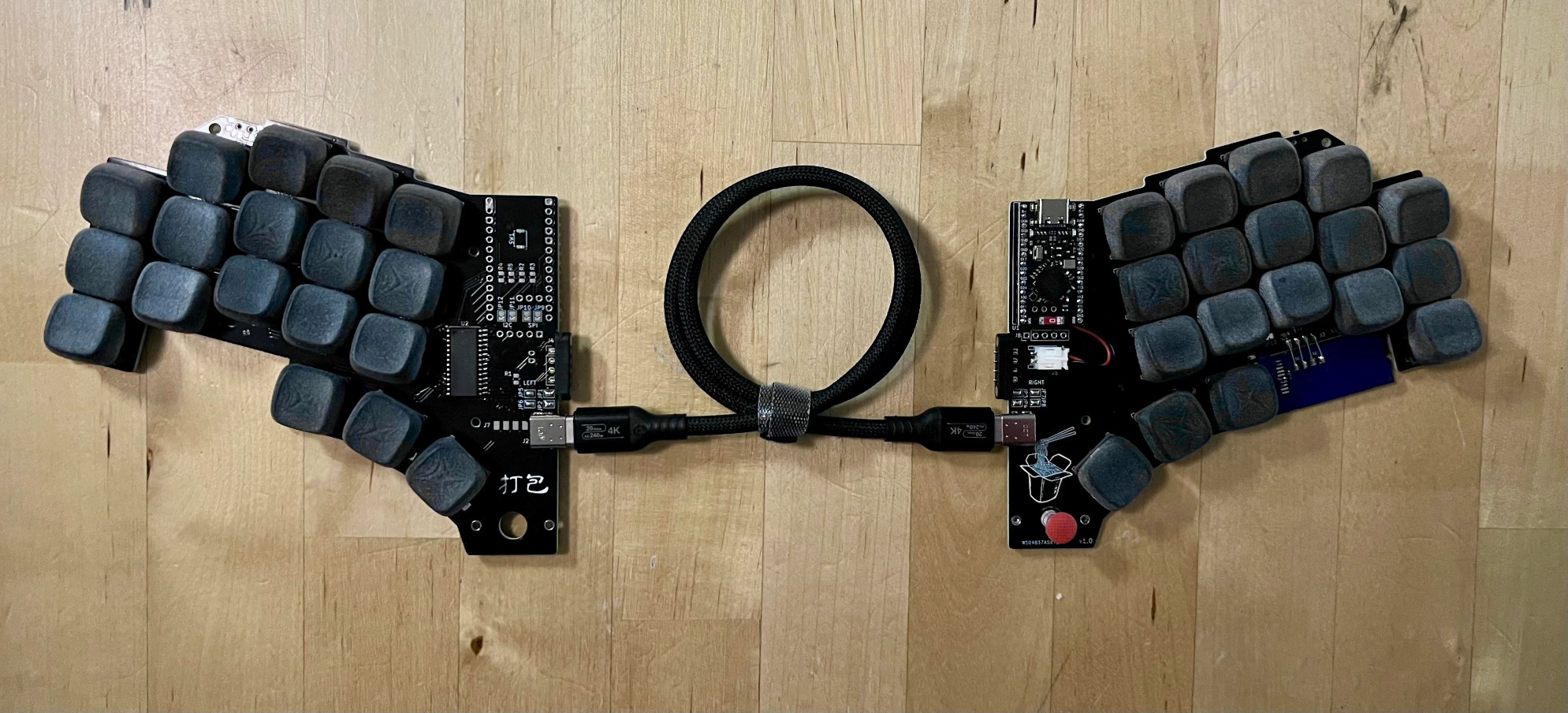
The name means to take out food, and if you click the picture you can see a cute little take-out container on the silkscreen of the right half. Directly below it, there’s a track point nubbin to be used with the thumb.
It does its split-in-half trick via a magnetic four-pin connector for when you want the halves stuck together. When the halves are separated, they can instead talk over a USB-C cable. One half has the microcontroller, and the other has a GPIO expander.

Personally, I like to push my Kinesis out of the way all the time to write by hand in a spiral notebook, and I fully appreciate that the halves stay the same distance apart. And when I’m using the Glove80 at the library, I tend to set it and forget it because I’m not there that long. But I can totally see the opposite view in both cases.
Caught Between the Scylla and Calidris
Just, wow. The gentle curve, the thumb cluster, the batarang-esque visual appeal. This is Calidris, the latest from [scytile], who brought us Cygnus a while back. I evidently didn’t cover it; shame on me.
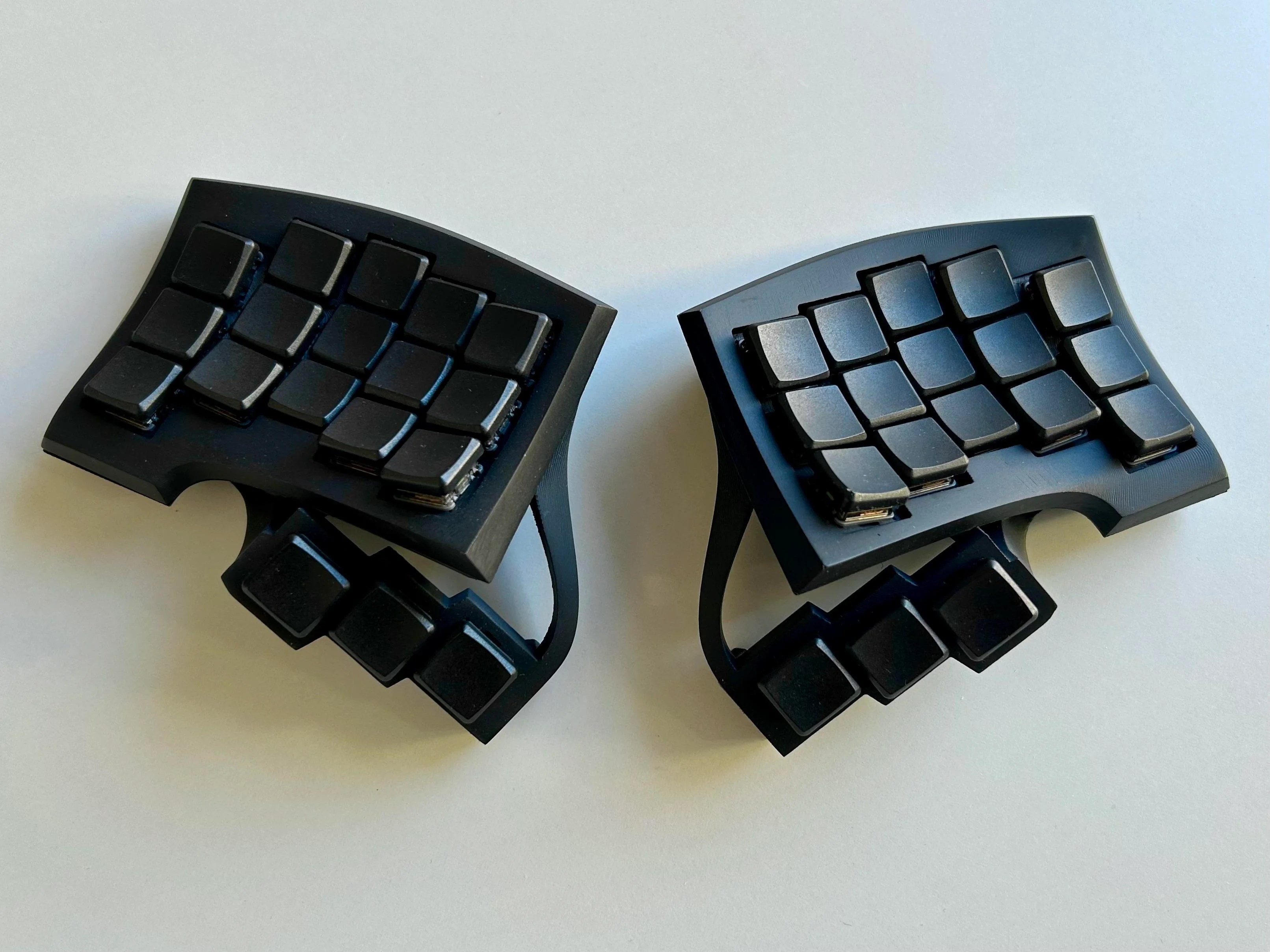
And while some begged for Choc support for Cygnus, [scytile] decided to keep it MX-based, and so here we are with a new build that explores low-profile switches.
Calidris is columnar, hot-swappable, 36-key wireless split with a whisper of concavity. If it’s not obvious, this baby is designed for Chocs. I absolutely love the way this looks, though sadly there aren’t enough keys for me personally.
The case is so, so tiny, yet [scytile] fit a 380 mAh battery in there. Files are pending some experimentation with switch spacing, and [scytile] welcomes your (constructive) thoughts.
The Centerfold: Candy Apple Is Among the Best Reds

I must tell you that I absolutely dislike most shades of red — the color usually just makes me angry, hungry, or both. And though I prefer caramel apples, there’s something deliciously candy-apple about this red, coupled with the curves, that I just adore. I especially like the shape of it beneath Control, Z, and X. It’s like something you’d find at a futon store in the 80s.
Do you rock a sweet set of peripherals on a screamin’ desk pad? Send me a picture along with your handle and all the gory details, and you could be featured here!
Historical Clackers: the Buckner Lino-Typewriter
The astute among you will notice that this typewriter clearly says Smith-Premier. But you see, not all Smith-Premiers were created alike. Buckner Lino-Typewriters were simply modified Smith-Premiers. They had keyboards with the separate upper and lower case keyboards, and they were separated vertically instead of horizontally.
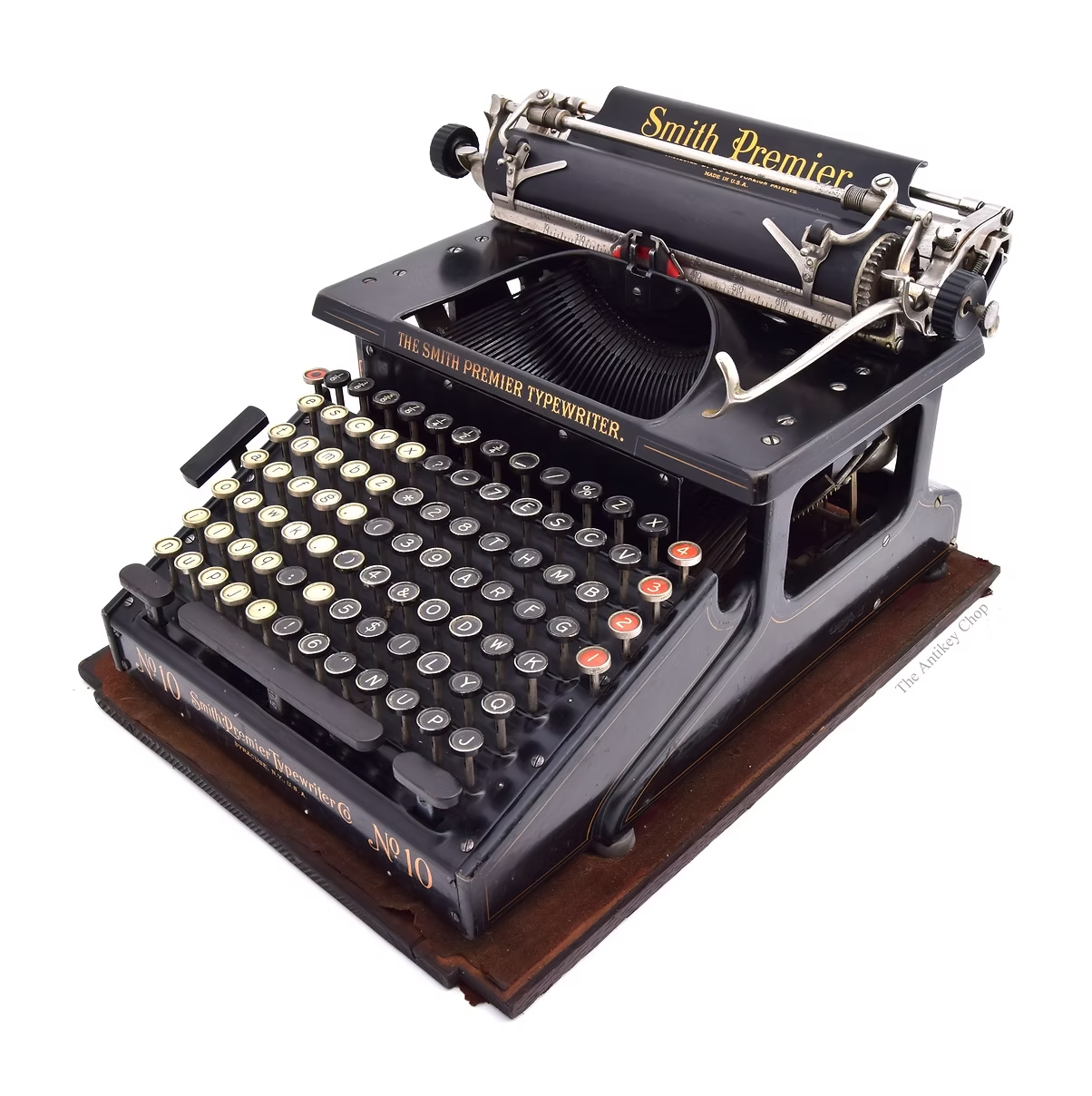
There was an additional Space bar on the left side of the keyboard, and the whole idea was to mimic the layout of a Linotype press, and ease the transition to typewriters for Linotype operators, so they didn’t necessarily need to learn QWERTY.
The Buckner was loosely invented, as Antikey Chop puts it, by former Linotype press operator Homer Guy Hays Buckner. He lived in Oakland, California and started the Buckner Lino-Writer Company out of his house, which now has a freeway running through the yard.
The assumption is that Buckner basically ran a mail-order business, and just had Smith-Premier produce modified machines whenever he got an order. That’s actually kind of genius. Maybe making such connections was simpler back then.
The Antikey Chop believes that Smith-Premier Nos. 1, 2, 4, and 10 were all modified to be Buckner Lino-Typewriters, and says there may have been others. Interestingly, some No.1 models were made with their Space bars removed, and replaced with an attractive, do-nothing strip of wood. So you were forced to use the floating Space bar on left, which was admittedly a little less floaty on the wood-strip model.
But that’s not the only way Smith-Premiers were disguised as other machines. Homer Buckner sold half of his mail order business in late 1919, and by 1921, a company out of Buffalo, New York started advertising its Linowriter, which by all accounts seems to be a successor to the Buckner. The main difference was the lack of side Space bar. The Antikey Chop says that all Linowriters were modified Smith-Premier No. 10s no matter what label they bore: Smith-Premier, Linowriter, or even Remington. Good for Smith, I say.
Finally, Someone’s Made a Concrete Keyboard
And that someone is Keychron. This thing’s not going anywhere on your desk. There’s also a resin version of the same keyboard, which is called the K2HE Special Edition.
It looks so… plain? Which isn’t a bad thing. The nice, cuppy key caps do stand out to me. Of course, I chose the non-color picture because of the concrete blocks, but you’re not missing much. In fact, this picture shows off the cuppiness of those key caps much better than the color one, which you can see at the first link up there.
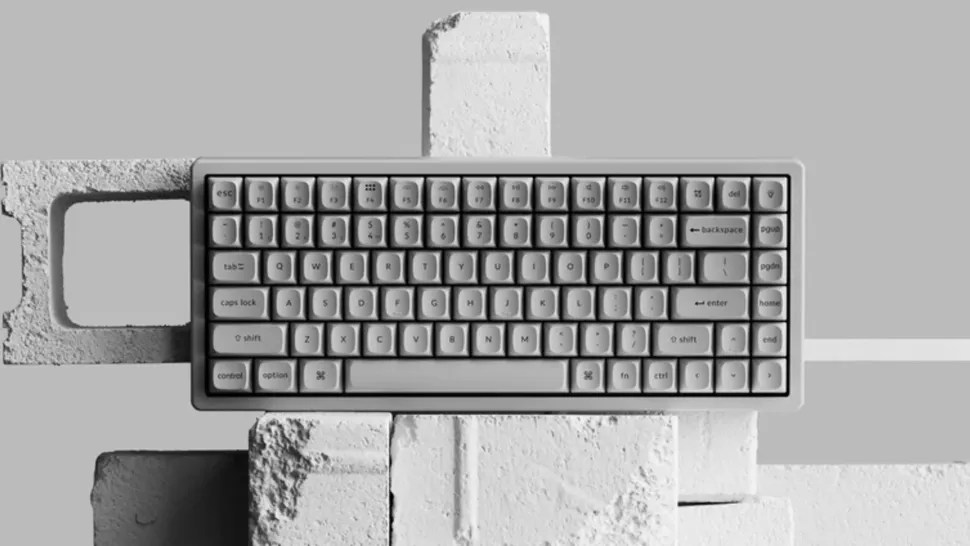
Keychron says it is smooth and marble-like, which I’m on the fence about unless it’s also polished. I don’t abide chalky textures, and I’m worried that this is very much that.
Keychron goes on to say that “each keystroke carries industrial rhythm”, which sounds like collab between Al Jourgensen and Bernard “Pretty” Purdie, or perhaps Trent Reznor and Jeff Porcaro. In other words, it sounds intriguing to say the least.
It should be noted that the chassis isn’t entirely concrete. There’s a metal panel visible in the side view where the connections are, and the back plate is sadly, plastic, at least according to PC Gamer’s inspection. But the chalkiness would not extend to the key caps, which are double-shot PBT — arguably the finest type of key caps money can buy. They are of course sitting on hot-swappable switches. You can connect via 2.4 GHz or Bluetooth, so it’ll be yet another thing to charge, but hey, concrete keyboard.
Got a hot tip that has like, anything to do with keyboards? Help me out by sending in a link or two. Don’t want all the Hackaday scribes to see it? Feel free to email me directly.
from Blog – Hackaday https://ift.tt/yC9GF6D


Comments
Post a Comment